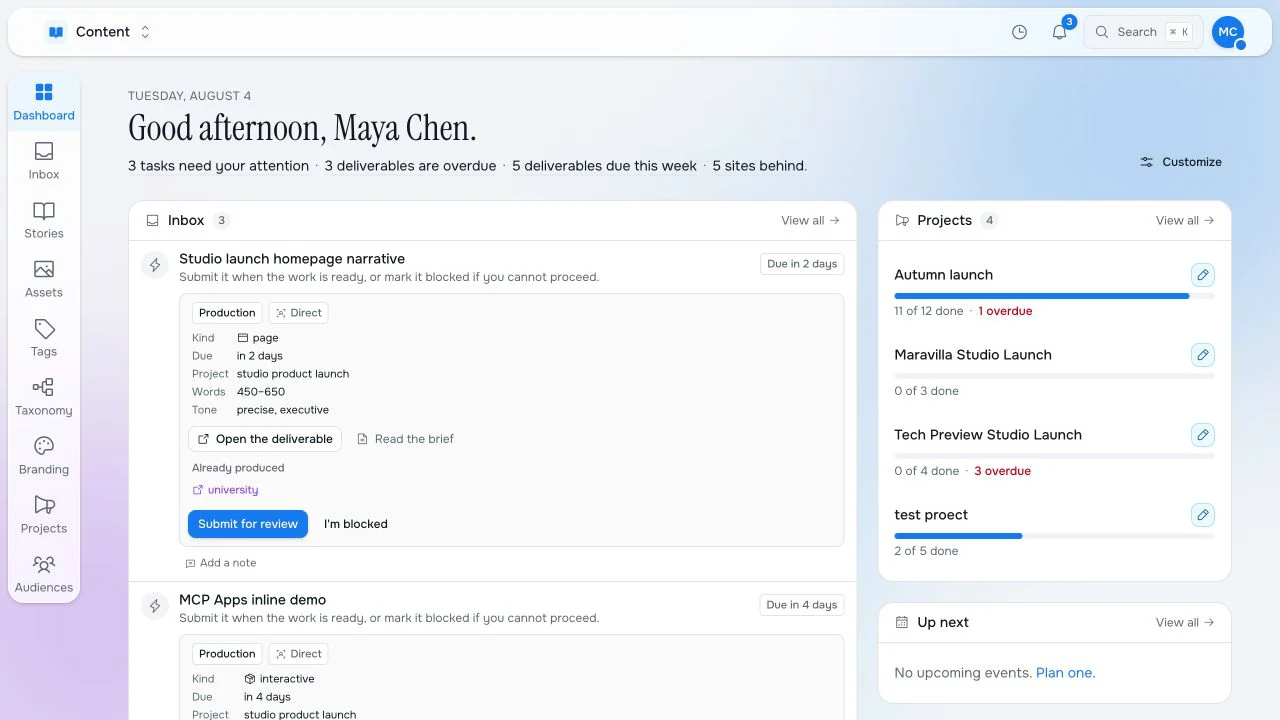
Dashboard
Launch work, inbox items, approvals and projects stay visible.
Maravilla Studio
Maravilla Studio is where websites, business applications and AI agents share the same structured data and publishing workflows.
For years, teams were asked to choose.
Studio starts somewhere else.
Studio does not split human workflows from agent workflows. A task can belong to an editor, a reviewer, Studio's own agents or an agent your team builds. The handoff, permissions, data and publishing trail stay the same.
Launch work, inbox items, approvals and projects stay visible.
Every workspace can become an operating surface for a team.
Send work to a person or an AI agent. Studio treats both as responsible actors.
Approvals, tasks and durable workflows route to humans or agents without a separate system.
Studio Flow
A user can ask in chat, but Flow can also start from triggers, inbox activity, mounted-system changes or your own application calls. Agents can propose plans, wait for approval, call tools, hand work to people or other agents, and record every step against the same RaisinDB nodes.
A chat, trigger, inbox event, API call or mounted-system change can start the work.
Agent intent can become visible, reviewable and approvable before it runs.
Approved work keeps running in the background with tasks, deadlines and audit.
A step can go to a reviewer, Studio AI or a customer-built agent.
Dashboard
See what changed, what is overdue and what needs approval.
Content-driven apps
Define the schema, editor layout, workspace and app entry in a Studio package. The app appears in Studio with navigation, list, grid or board views, record editing, permissions and actions without writing a separate admin surface.
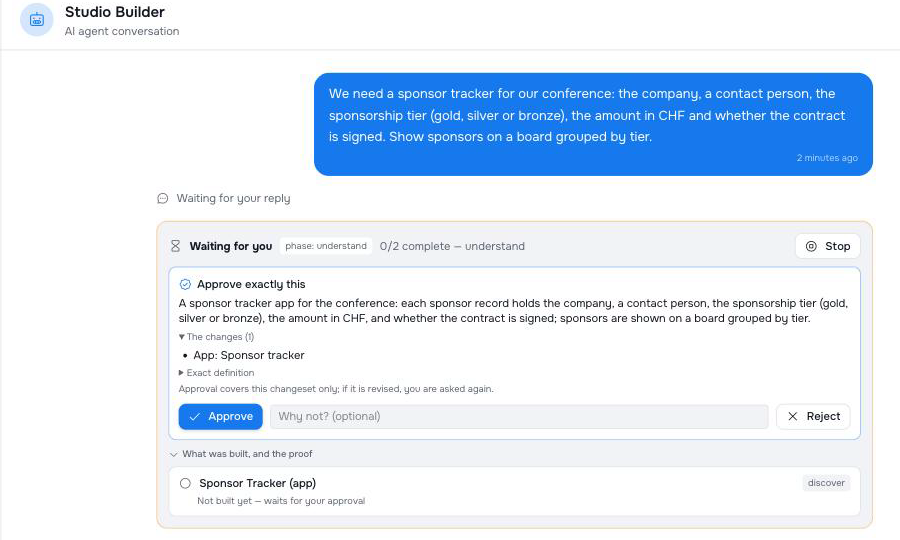
Or describe the app in plain language and let Studio Builder build it. See how Builder works
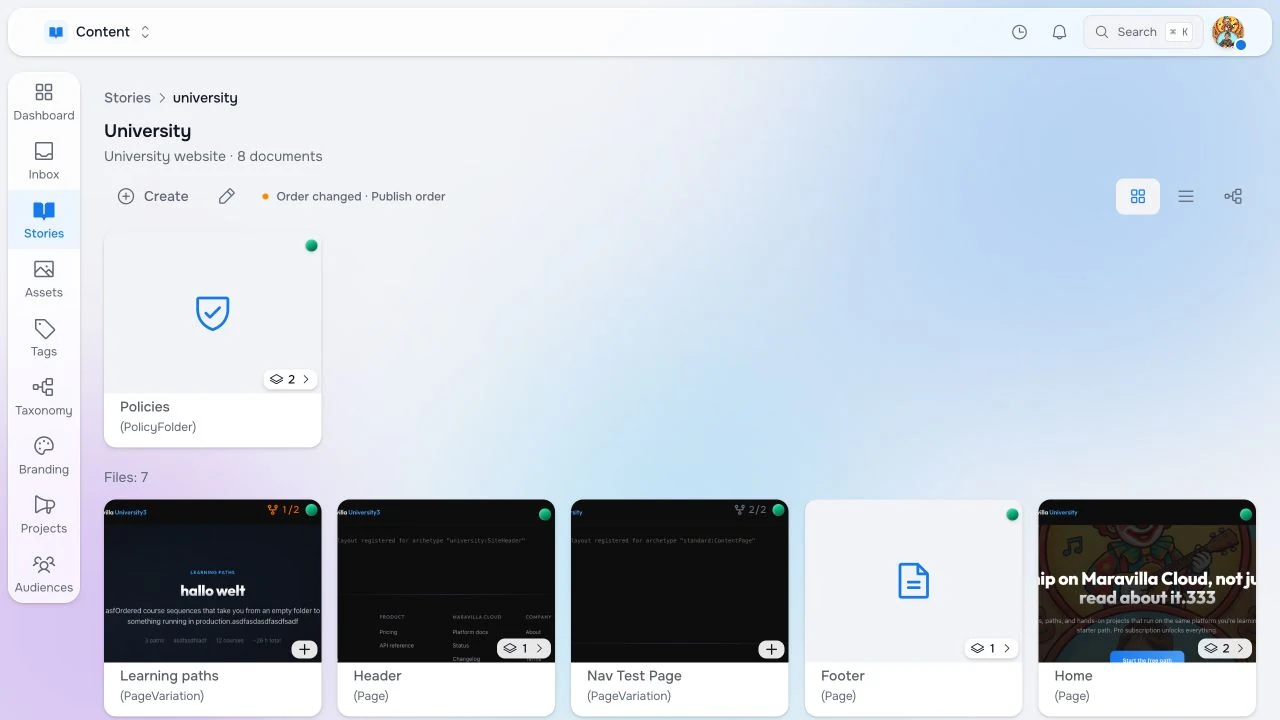
Pages, variations and publish state.
Media with usage and dependency lookup.
Design tokens as editable content.
Blueprints, linked copies and locale overlays.
Briefs, deliverables and approvals.
Typed agent tools and inline MCP-UI widgets.
Studio Builder
Studio Builder works the way a coding agent works on a codebase: it reads what exists, plans, builds, tests and repairs. Except its codebase is your Studio: record types, apps, automations, AI agents and functions.
Describe what you need in plain language. Builder designs it, shows you the exact changes before anything is written, builds it, and proves each part works. It writes real code where exact logic is needed, and it never touches anything outside the pieces you let it change.
Stop, steer, pause and resume at any time. A build survives a restart and never writes the same change twice.
You approve one specific set of changes. If the build is revised, Builder asks again.
A part is done only when a check proves it. A later edit marks that proof stale.
What cannot be built yet is recorded, not improvised.
Stories
Stories carry the structure, rules and publish state the renderer needs.
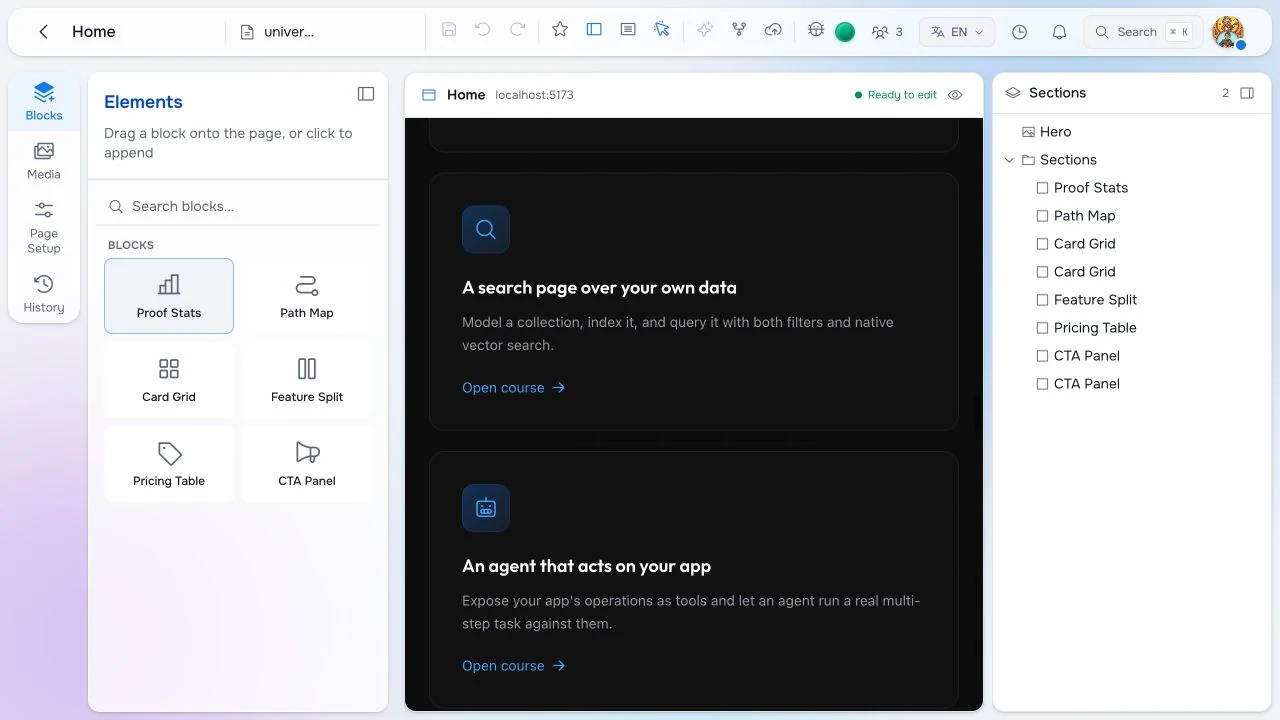
Inline editing
The live preview is editable because the renderer and Studio share structure.
Assets
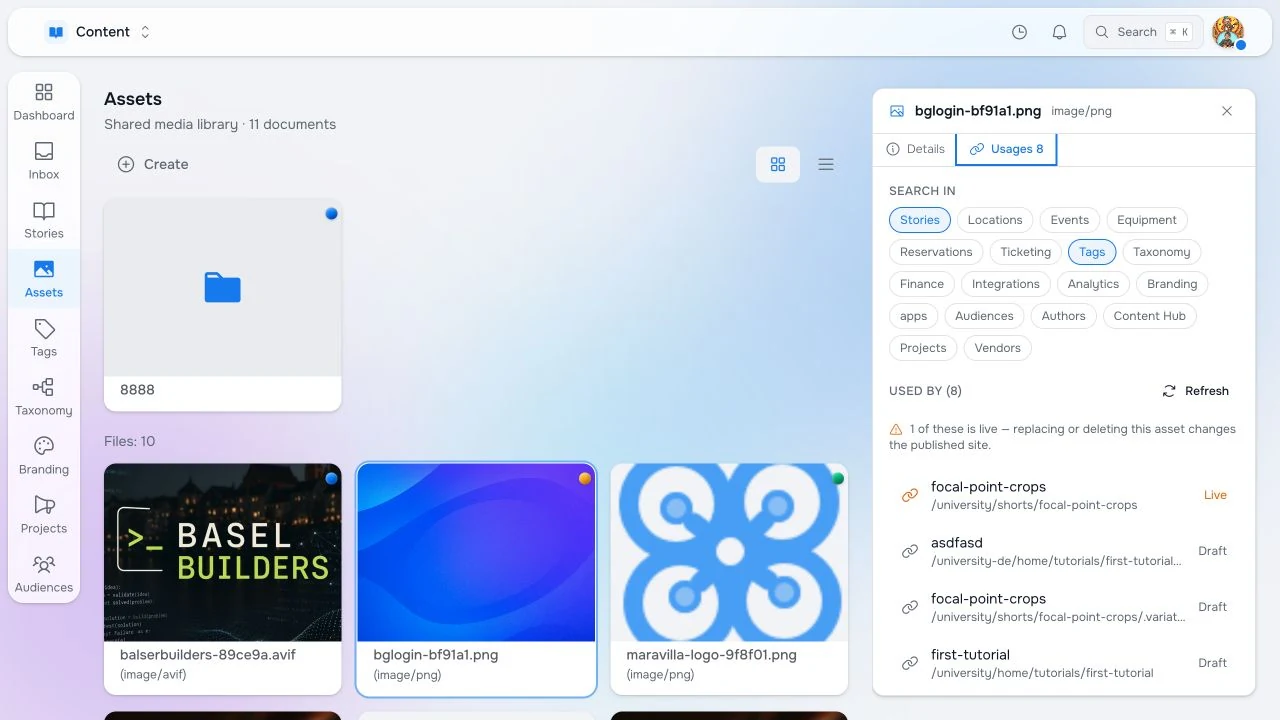
Assets show publish state, focal points and every dependency.
Brand systems
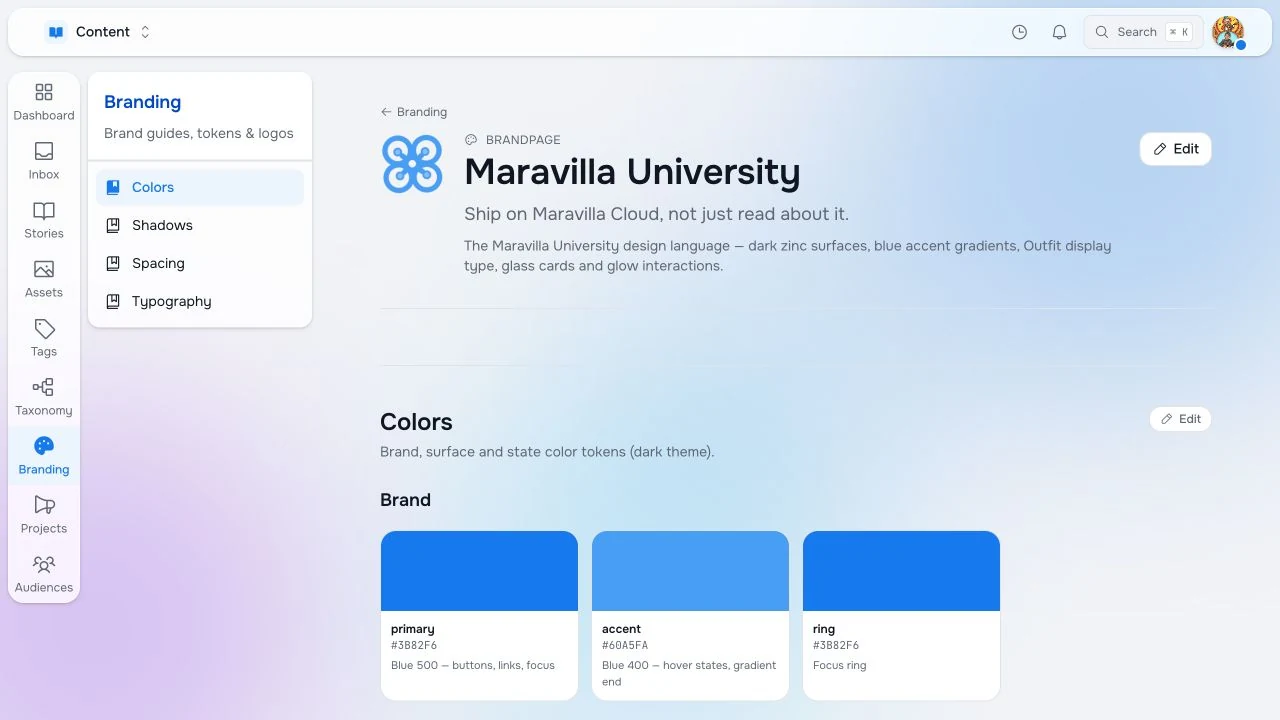
Colors, type, logos and spacing become reusable, governed data.
Sites
Start from a proven site, roll out a new edition and keep shared pages connected while local teams override what needs to change.
Create from parameters instead of starting from a blank page.
Copy from a source tree, inherit updates and break local pages when needed.
Auto-translate editable fields into locale overlays, then review them in Studio.
Projects
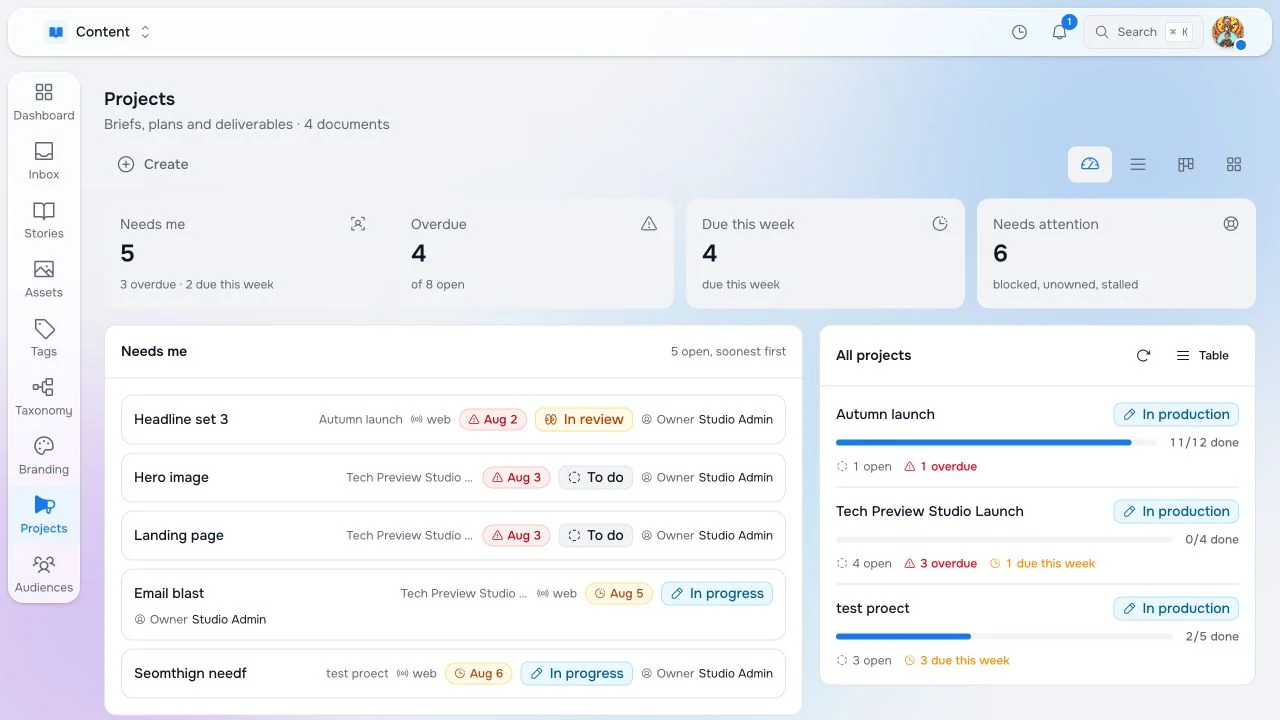
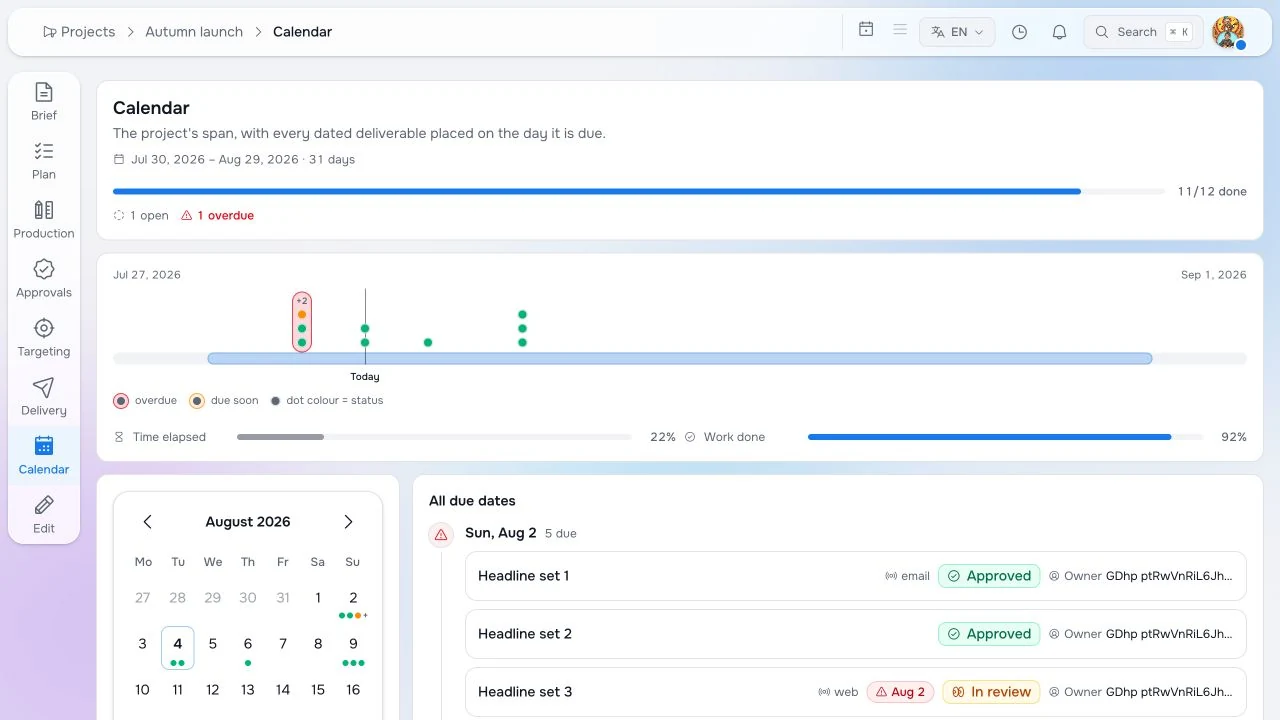
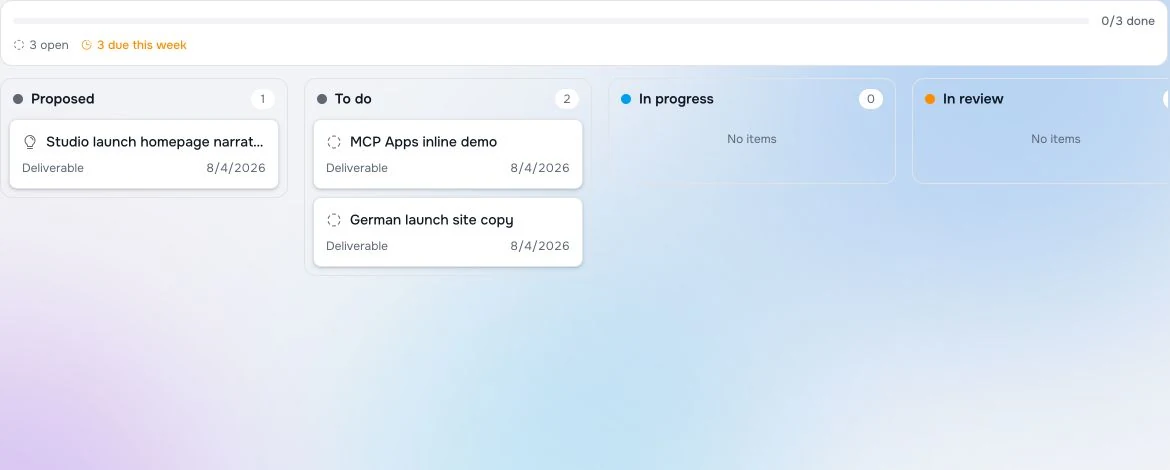
Briefs, deliverables, owners and channels move through the same system that publishes them.
Production board
Project work moves through Studio as real deliverables, tasks and approvals.
Connectors
RaisinDB gives Studio a connector framework for mailboxes, drives, calendars and internal systems. Use shipped adapters or build your own, then mount external data anywhere in a workspace so pages, approvals, tasks, custom apps and registered agents work on the same native nodes.
Microsoft 365, Google Drive, Google Calendar, IMAP and integration support can be enabled from Studio.
Choose workspace, branch, path, hierarchy and sync rules so external systems land exactly where teams work.
Customer connectors can map EHRs, portals and proprietary systems into RaisinDB without leaving the publishing model.
New referral ready for admission review
Results received for patient record
Preauthorization approved for scheduled care
Model data labeling
Studio turns the material already in the graph into supervised training sets. Documents are extracted, chunked, formatted, curated and mixed; images are labeled with AI-assisted segmentation and classification. Both happen in the same workspace, so the dataset behind a model carries the same review, versioning and audit trail as everything else.
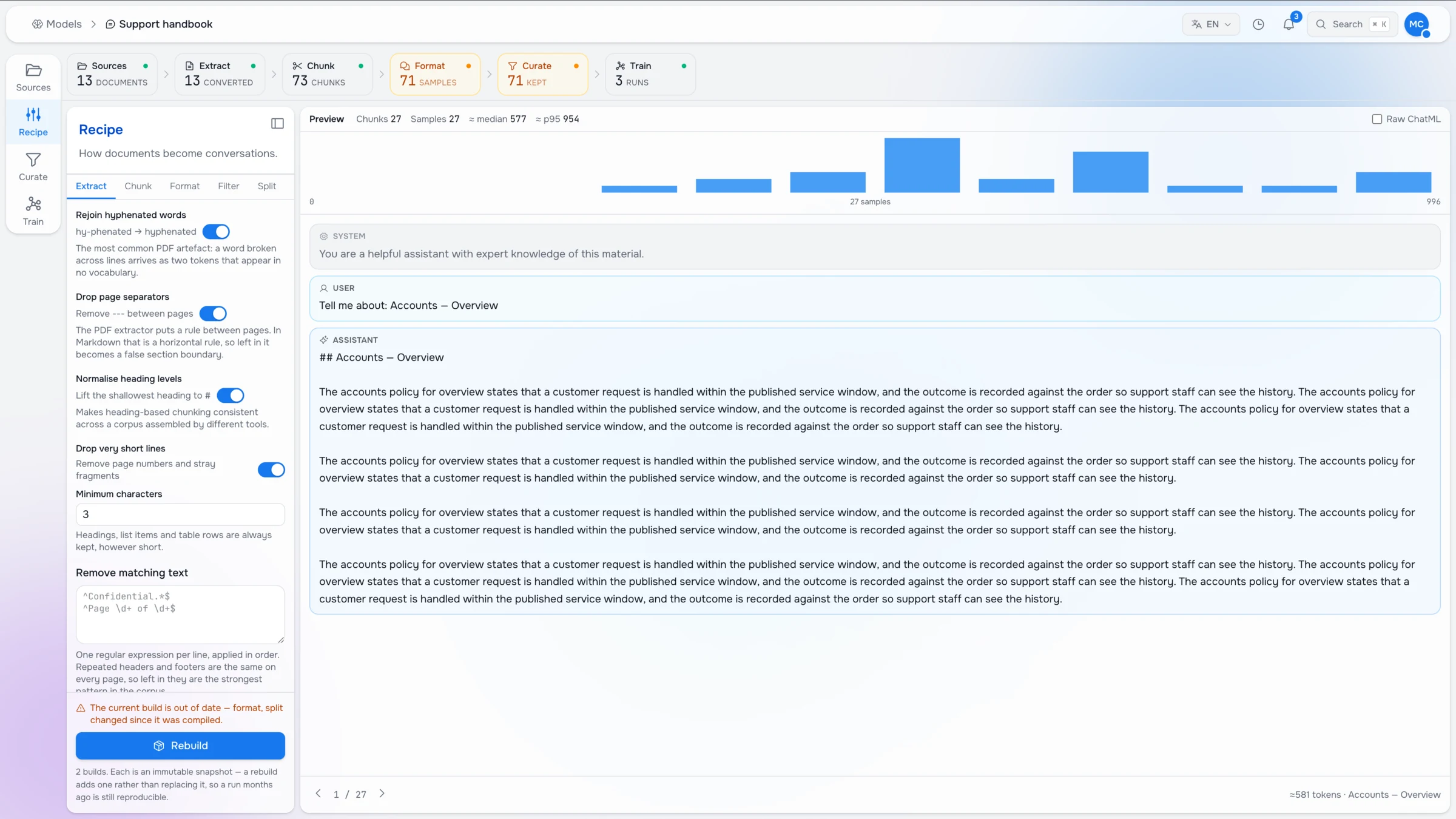
Extraction, chunking and formatting rules live in Studio. Change a rule and the sample preview updates beside it.
Filter, split and keep what belongs in the set. Every build is an immutable snapshot, so an old run stays reproducible.
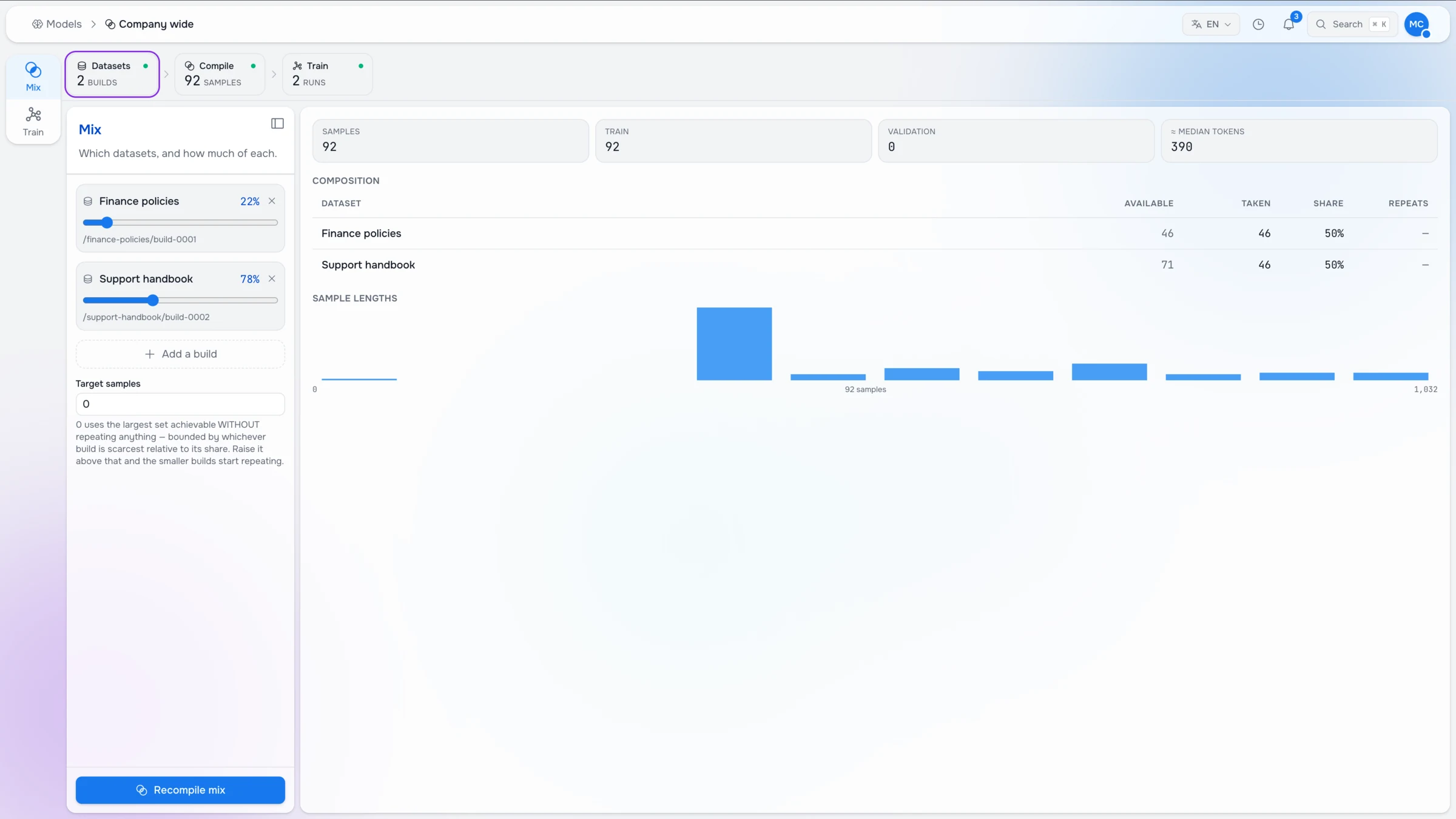
Blend builds with weighted shares, read composition, repeats and sample lengths, then compile the run.
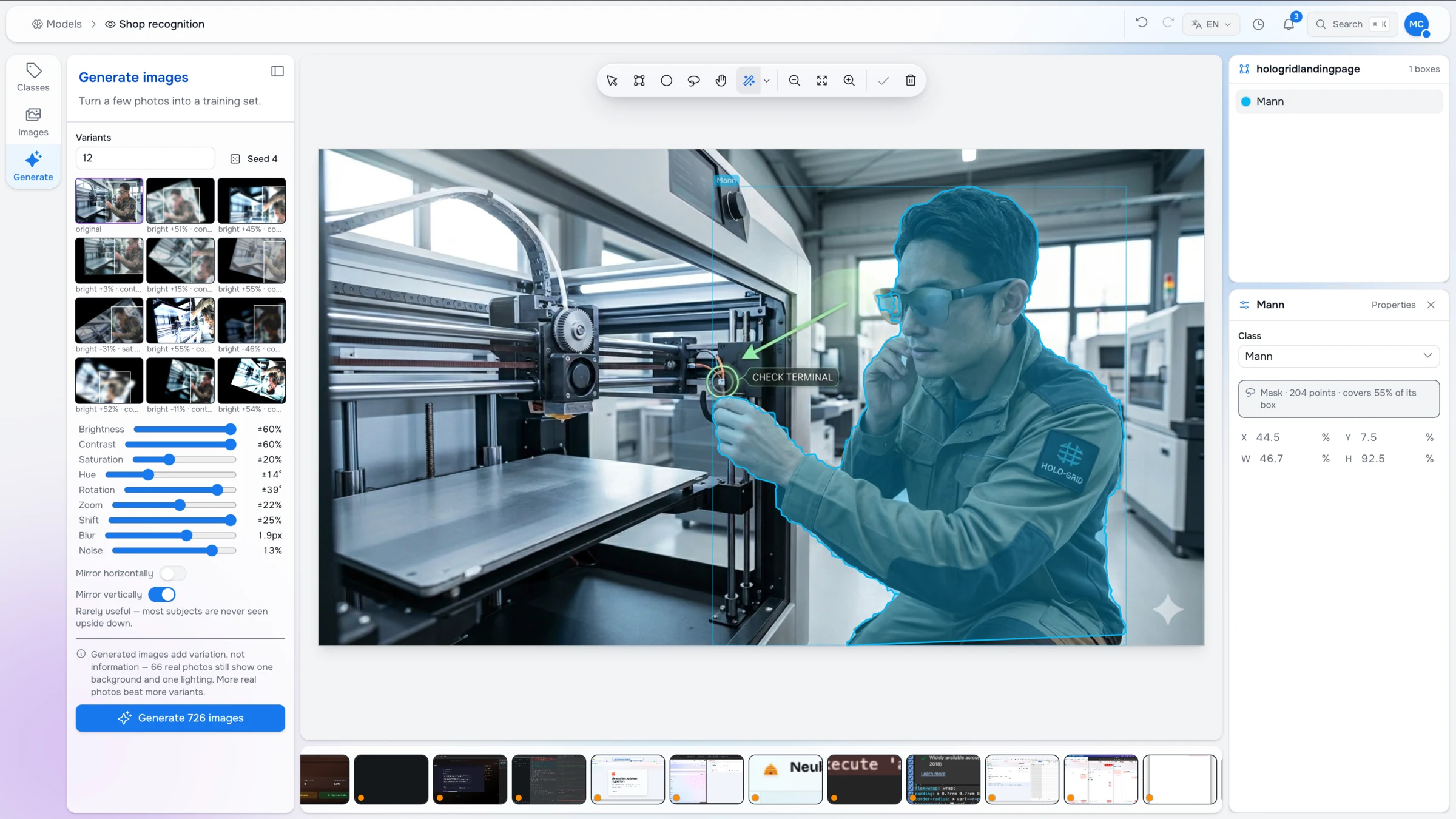
Image segmentation and classification are proposed by a model. You accept, correct or redraw the mask instead of tracing it by hand.
Why teams switch
Studio is built for the next generation of applications: products where people and AI agents work on the same data. RaisinDB gives Studio one AI-native engine for content, applications, workflows and agents, combining hierarchy, graph, SQL, search, vectors, functions and triggers so every surface shares the same live state.
Teams stitch product state across repositories, services, indices and workflow tools.
Studio runs content, application state, workflow state and agent context on RaisinDB.
Every integration creates another place where state can lag, drift or break.
M365, Drive, calendars and customer systems appear where teams already work.
Separate indices and wrappers make agent actions harder to approve, audit and trust.
People and agents use the same permissions, rules, context and publishing controls.
Teams rebuild the same models, access rules and UI patterns in different products.
Pages, operational tools and customer apps run against the same live graph.
Approvals happen in different tools, leaving teams without one reliable audit trail.
Branch-based publishing keeps content, app state, workflow state and agent actions together.
MCP apps
Studio can expose your product as typed MCP tools with MCP-UI widgets. Use Studio's own agent workflow, connect ChatGPT or Claude, or build your own agents. They enter the same workspace as users, with the same permissions, tasks and publishing confirmations.
Declare the agent actions and MCP-UI widgets your product needs. Studio handles access, context and delivery.
Let an agent browse stories, inspect pages, edit fields, review dependencies and publish through the same workflow as a human.
Architecture
Structured nodes, auth, branches, functions and MCP tools.
Types, policies, editors, apps and brand kits.
Inline editing, assets, projects, inbox and approvals.
Websites and apps that read the same Studio graph.
Publishing
The category shift
Maravilla Studio
 Built on RaisinDB Explore the AI-native database