Building on Maravilla Studio
Maravilla Studio is an application platform on top of RaisinDB. Websites, business applications, mailboxes, AI agents and the automations that connect them all read and write one structured data graph. This documentation is for pilot partners who use Studio and build on it: agencies delivering sites and internal tools for their clients, and teams automating their own operations.
It covers the three capabilities partners build on most:
- Websites — a story of pages made of blocks, a brand kit, languages, personalisation and a publish branch, rendered by your own site (Astro, SvelteKit, React, Vue…) with inline editing inside the Studio editor. Modelled as a RaisinDB package, kept in sync with
raisindb sync. - Automations — react to something happening in Studio (a page edited, a mail arriving, a schedule) with a flow of steps that call functions, ask AI agents, and bring people in through the Inbox. Drawn in the editor, or written as YAML in a package.
- Workplace — shared mailboxes triaged on a board, with automations that read, file, draft and reply.
Pilot. Everything here is in production use in the pilot, and it is still moving. Screens are from Studio 0.1.189. When you build on a described behaviour and it does not hold, that is a bug we want to hear about.
How to read this
If you are new to Studio, read the two Concepts pages first. They are short and everything else assumes them: content is nodes, every change is an event, and an automation is a flow that reacts to events.
Then pick a path:
| You want to… | Start with |
|---|---|
| Understand how a website is modelled and rendered | Websites on Studio, Modelling a site, Rendering |
| Build a site with inline editing, in SvelteKit, React Router or Astro | Step by step — or the other frameworks |
| Run Studio inside a Maravilla project | Studio on a Maravilla project |
| Connect the editor to your site, translate, personalise, publish | Inline editing, Languages, Personalisation, Publishing |
| Understand what an automation is made of | Automations |
| Describe an automation and let Studio build and test it | Build automations by talking |
| Build one in the editor, step by step | The automation editor |
| Ship one in your own package as YAML | Automations as YAML |
| See a complete, working example | Example: content review and Example: support desk triage |
| Run a shared mailbox with a board | Workplace |
| Write your own function, ship your own app, follow up on a website form | Your own functions, Your own app, Forms, submissions and follow-up |
| Give an AI assistant tools of your own, with a widget | Your own MCP server |
| Connect Microsoft 365, a drive, lights — or write your own connector | Connectors and mounts |
| Take payments on a site or event | Payments with Stripe |
| Control lights, react to a switch, hand the lights to an agent | Philips Hue |
| Make your content searchable, and understand chunking | Search, indexing and the knowledge graph |
| Answer questions from your own content, with citations | Answering questions |
| Put a chatbot on an internal tool or a public site | Build a chatbot, Search and chat on a website |
| Look something up | Steps and connections, The step library, Variables |
| Let an AI assistant write automations for you | Building with AI |
What you need
- A Studio tenant on Maravilla Cloud, or a local RaisinDB with the Studio package installed. Your Maravilla contact provisions the tenant; the local setup is described in the
studio-getting-startedskill that ships with Studio. - For YAML authoring: the
raisindbCLI, signed in to your tenant, and a RaisinDB application package (a folder with amanifest.yaml). Studio itself is one such package; yours installs beside it. - For AI agents: an AI provider configured on the tenant. Agents name a provider and a model; the keys live in tenant configuration, never in content.
The two shipped examples
Studio ships two automations you can open, read and copy. Both are switched off until you enable them.
Content review assistant. After a page is edited, an agent reads its title and description and chooses: it is fine, it needs a fix a person should approve, or it needs talking through. The approval happens in the Inbox; the conversation happens in a chat; the fix is applied by the agent with a tool.
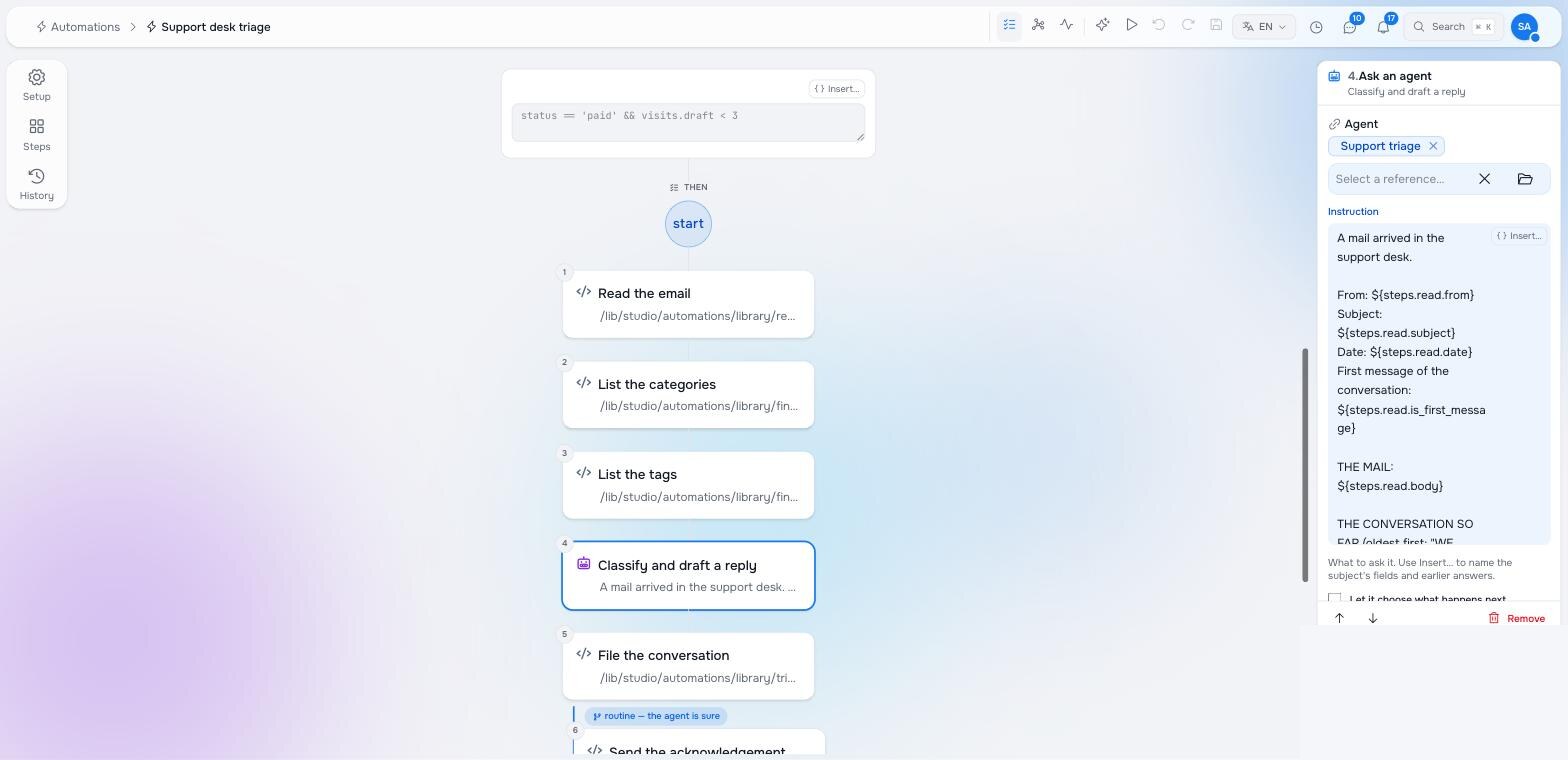
Support desk triage. When a mail arrives in a shared mailbox, the automation reads it with the whole conversation and any attachment text, files it on the Workplace board (category, tags, priority), and replies — automatically when the agent says it is routine, otherwise as a draft a person approves from the Inbox.
Pilot documentation. Studio is in a partner pilot. Screens and YAML shown here are current as of the version noted on each page; tell your Maravilla contact when something does not match what you see.