Rendering: the contract
Every site on Studio — Astro, SvelteKit, React Router, a Lua server with no bundler — does the same six things. Learn them once and any framework is a detail. The step-by-step walkthrough implements each in SvelteKit, React Router and Astro side by side.
1. A URL is a node path
Your catch-all route takes the request path, strips a leading language segment, and turns the rest into a node path under the story root: / becomes <root>/home, /about becomes <root>/about, /journal/spring becomes <root>/journal/spring. There is no routing table. The story root comes from the request host (a studio:Site node maps a domain to a story), from an environment default while developing, or from the editor’s ?root= parameter in preview.
2. One read, with references resolved
Read the page in a single SQL statement and let the database resolve references:
SELECT id, path, name, node_type, archetype, resolve(properties, 2) AS properties
  FROM 'stories' WHERE path = $1 AND locale = 'de' LIMIT 1
resolve(properties, 2) replaces every raisin:ref envelope two levels deep with the referenced node — a hero’s call-to-action arrives as the page it points at, with its path, title and node_type; a figure’s image arrives as the asset, with its file and alt text. That is one round trip instead of one per reference, and it is the rule for the whole renderer: let SQL do the joins; do not follow references from application code.
The chrome — the story node, the header and footer pages, and the navigation derived from the story’s children — is a second read, run concurrently with the page and cached per branch, root and locale. A visitor’s page costs one query plus the cache.
Assets are the one thing left to do in code: a resolved asset’s file location is not a browser URL. Sign each distinct asset once for display, on the request’s branch, and hand components the signed URL.
3. Two registries and a recursion
// element_type → block component
export const elements = {
  'standard:Hero': Hero,
  'standard:Prose': Prose,
  'standard:Section': Section,
  // …
};
// archetype → page layout
export const pages = {
  'standard:HomePage': DefaultPage,
  'standard:ArticlePage': ArticlePage,
  'shop:ProductPage': ProductPage,
};
A page layout renders the page’s content array; each block’s fields become the component’s props under their YAML names; a container block (a section, columns, a slide) renders its own nested array the same way. Unknown types render a visible fallback, never nothing. That is the entire rendering engine, and it is why a site can add a block type in content without touching the route.
4. Branches: what a visitor reads
Editing happens on the working branch (main). Publishing copies nodes to publish. A visitor reads the live branch, which a site opts into with an environment variable when it starts publishing; until then main shows everything. A branch is repository-wide, so a site reading publish sees only what has been published in every workspace — an unpublished story, brand or asset reads as empty, not as an error. The editor’s preview reads the working branch, and only a signed preview session may select it; a URL parameter never does. Writes from the site (a form submission) always go to the working branch, whatever the read branch.
5. Brand tokens become CSS variables
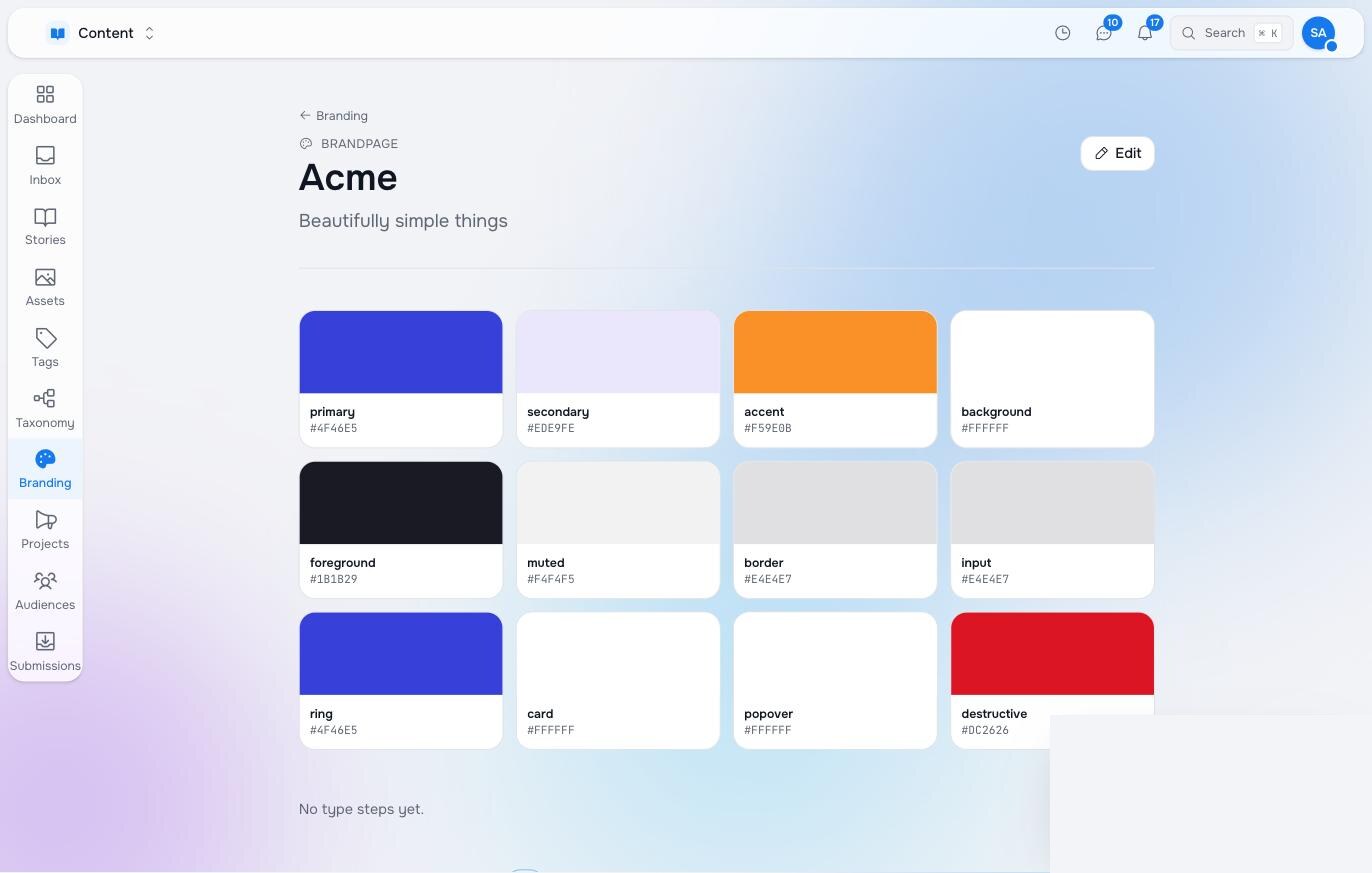
The story references a brand. Read the brand’s subtree, find the token blocks by element type (studio:ColorPalette, studio:ScaleTokens, studio:ShadowSet, studio:TypeScale), map their names onto the variables your CSS reads, and inline them on <html> so they win over any stylesheet default. A designer changing the primary colour in Studio changes the site on the next render; the site’s stylesheet only ever refers to var(--primary).
6. Locale is a clause
A language arrives as a path prefix (/de/about) or a query (?lang=de), and the renderer must accept both, because the editor appends ?lang= whenever it previews a non-default language. Validate the code against the story’s languages and append AND locale = 'de' to every translatable read — the page, the chrome, the navigation, the resolved references. RaisinDB overlays the translation and falls back to the base text for anything untranslated. The default language is always bare.
7. The visitor is a context
Authors personalise without code — a Switcher around part of a page, a rule per version, or a whole page per segment — but only if the renderer hands them a visitor to decide on. Build it once in the loader: country, device and campaign from the request (contextFromRequest), the segments that context falls into, and what the visitor’s browser has learned on earlier pages (the mv_profile cookie, after consent). Pass it to the page-variation pick before the page read and to useVariantContent for the blocks, and send the cache headers cachePolicyFor returns for the rules the page carries. The React example does all of it in app/lib/audiences.server.ts; copy that and authors can personalise from day one. The personalisation page explains rules, segments, learned traits and the browser profile.
What makes it fast
- One page read with
resolve(); one chrome read, cached. No per-block queries. - Query blocks (an article list) run one indexed query each in the page loader, not in the component.
- Cast JSON comparisons in SQL (
properties->>'published_at'::String), or they silently match nothing. - Sign assets once per distinct path, concurrently.
- Cache the visitor branch freely; never cache a preview session’s render.
What the editor needs from the DOM
Inline editing is the same page with annotations: data-studio-root on the editable area, data-studio-id and data-studio-type on each block’s root, data-studio-field on each editable field, data-studio-section on each container that accepts blocks, data-studio-doc-field on page-level fields such as the title. The inline editing page lists them with examples.
Pilot documentation. Studio is in a partner pilot. Screens and YAML shown here are current as of the version noted on each page; tell your Maravilla contact when something does not match what you see.