Philips Hue
The Hue connector turns a bridge into nodes: every light, room, zone, scene and grouped light appears in a workspace, a changed property on a light reaches the bridge in seconds, and a lamp switched on in the Hue app arrives as an event an automation can react to. Nothing in a Studio automation calls the Hue API. This page is the whole of it: the connection, the model, the three library steps, the trigger, and the agent.
Connect and mount
Integrations → Philips Hue (Managed by Maravilla) → Connect account. The sign-in goes through Maravilla’s app at Philips; the bridge’s application key is minted for you, so nobody presses the bridge button. Then Mounts → Add bundle → Philips Hue. The bundle asks nothing and creates two mounts:
| Mount | Path | Mode | Holds |
|---|---|---|---|
| Lights, rooms, zones and scenes | devices:/hue/home | mirror | hue:Light, hue:Room, hue:Zone, hue:Scene, hue:Device, hue:GroupedLight |
| Scene outbox | devices:/hue/recalls | submit | hue:SceneRecall commands |
Open the home mount after its first walk and check it reports written greater than zero. Hue has no delta and no push: every sync is a full walk of the bridge, every five minutes by default, and a local write drains immediately regardless of that interval.
The model
Everything is flat under the home mount, named by the bridge’s id. The human name is the name property; the joins are ids.
| Type | Carries | Writable |
|---|---|---|
hue:Light | name, on, brightness (0–100), color_x/color_y, color_temperature_mirek (153–500), reachable, room_rid, device_rid, hardware fields | on, brightness, the colour pair, the mirek |
hue:GroupedLight | on (true when any member is lit), brightness (the members’ average), owner_rid | on, brightness, the colour pair, the mirek — for every member at once |
hue:Room, hue:Zone | name, grouped_light_rid, the members (device_rids for a room, light_rids for a zone) | nothing — write the grouped light |
hue:Scene | name, group_rid, group_type | nothing — recall it through the outbox |
A property write is the command. Set on, brightness, color_x and color_y together, or color_temperature_mirek on a light or grouped light — from a step, a function, SQL or the MCP connector — and the mount’s write-back pushes it to the bridge and stamps what it sent. Measured on a live bridge: two seconds. Two rules come with that: the colour pair goes together and excludes the colour temperature, and a grouped light’s brightness is an average you should not write back after reading it.
A scene is a command, not a state. hue:Scene deliberately has no active flag — the moment one lamp is nudged the scene is no longer what is showing, and a flag would write fine, read back false, and be rewritten on every sync. So recalling one is a hue:SceneRecall node created queued in the outbox, issued exactly once, with sent, failed or unknown and last_error stamped on it.
The steps
Three library steps cover what an author needs, without a function of their own. They appear under Library in the step chooser.
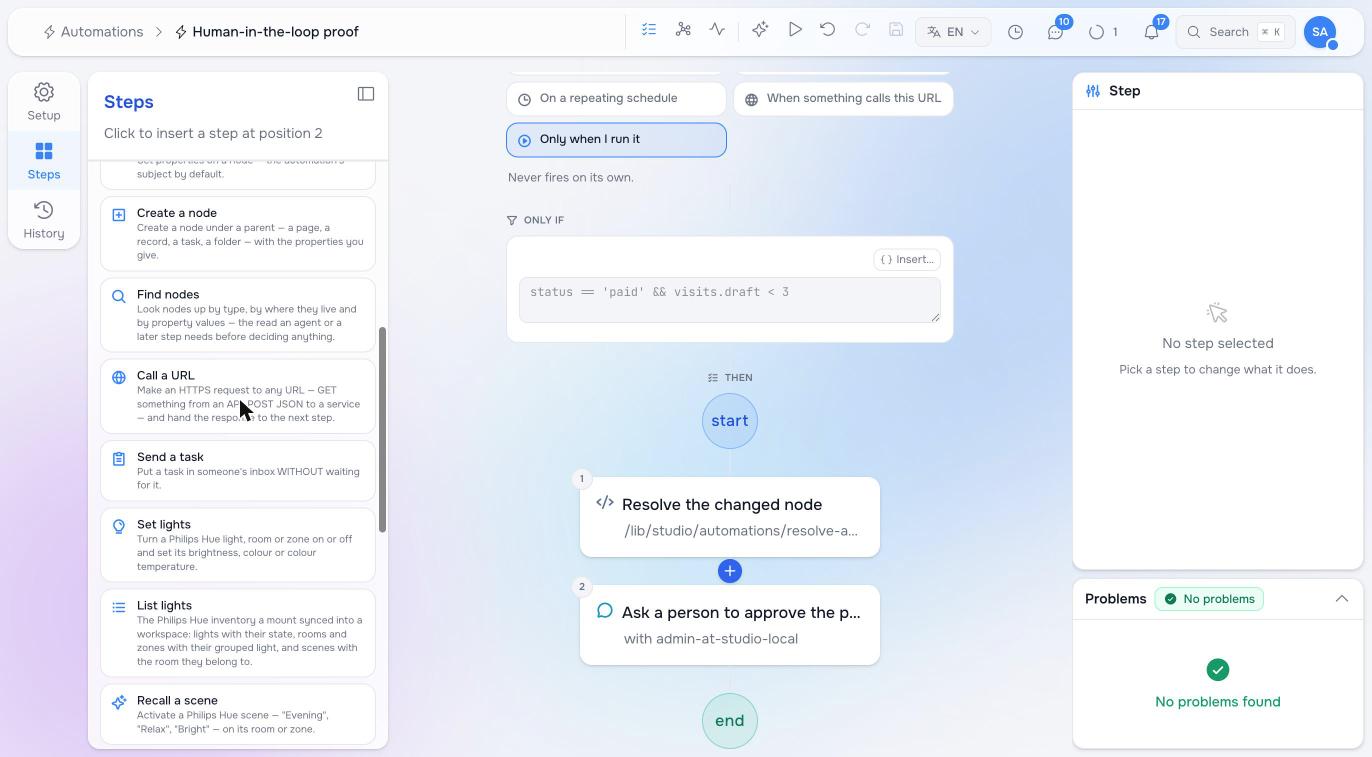
Set lights turns a light, room or zone on or off and sets brightness, a hex colour or a colour temperature in kelvin. A room or zone is resolved to its grouped light and written once — never a loop over its lamps, which is both slower and the first thing the bridge throttles. Dimming a lamp that is off switches it on. Colour wins over colour temperature when both are given.
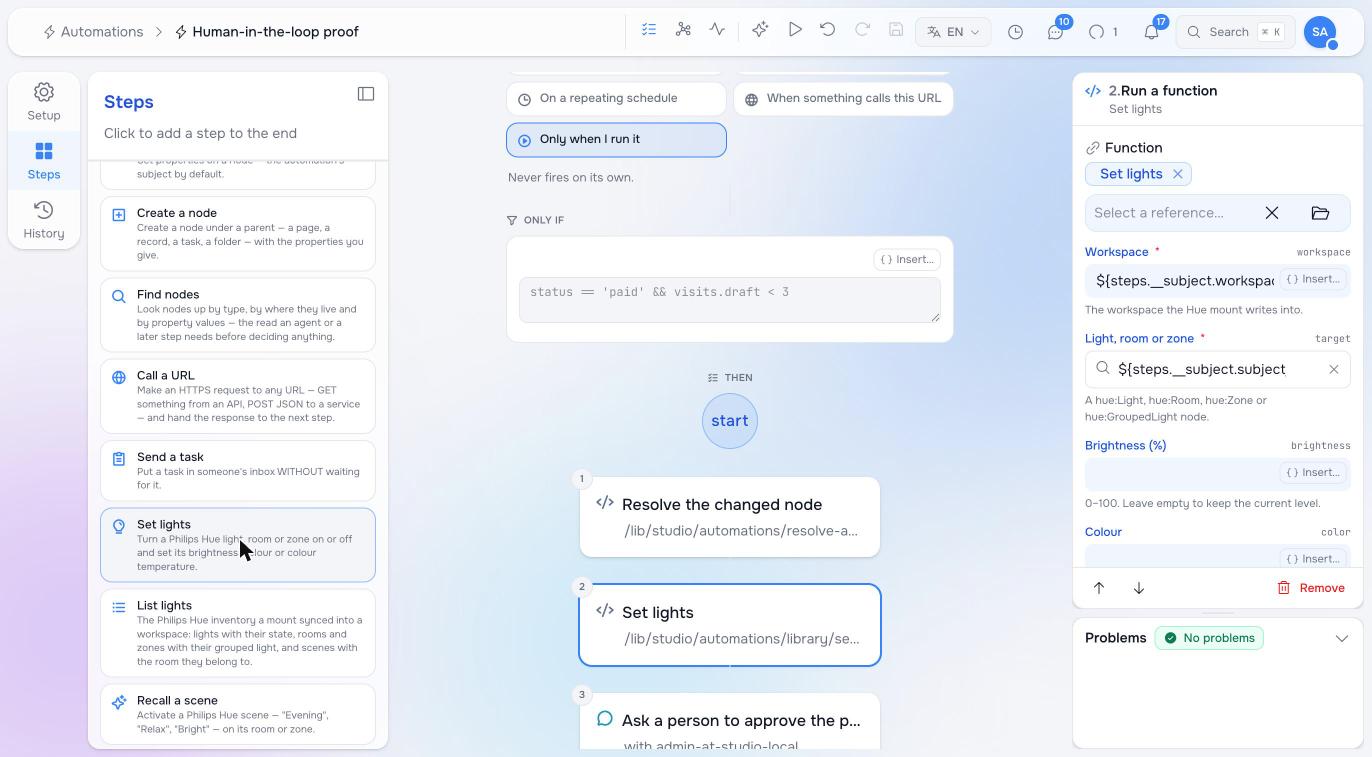
The Light, room or zone argument is a picker: it searches the synced nodes of those types by name, so an author chooses “Living room” rather than a bridge id, and it accepts a ${…} variable as well. In a trigger on a light it is already the light that fired.
List lights reads the inventory joined the way a person thinks about it: lights with state and room, rooms with how many lamps are on and their grouped light, zones, scenes with their room, and a one-line-per-item listing for a prompt. Filter by room, by kind, or to lamps that are on.
Recall a scene picks a scene and the outbox path and queues the command, optionally dimmed and faded. It returns as soon as the command is queued; the outcome lands on the command node — measured on a live bridge, sent within a quarter of a second. The outbox folder itself is created by the first recall, because an outbox mount writes nothing from its walk.
Reacting to a light
A lamp switched on in the Hue app, on a wall switch, or by a schedule on the bridge arrives as an Updated event on its node when the mount next walks the bridge — a few minutes later, not instantly. The trigger is an ordinary one:
trigger:
  kind: node_event
  workspaces: [devices]
  node_types: [hue:Light]
  event_kinds: [Updated]
  paths: [/hue/home/**]
  property_filters: { on: true }      # matched before a run is spent
steps:
  - uuid: notify
    element_type: studio:StepFunction
    label: Tell the desk
    function_ref: { raisin:ref: /lib/studio/automations/library/create-task, raisin:workspace: functions }
    arguments:
      title: ${steps.__subject.subject.name} is on
In the editor that is When something happens: the workspace the mount writes into, node type hue:Light (synced types are offered once a workspace is chosen, marked synced), the mount path, event Updated, and a property rule on is true.
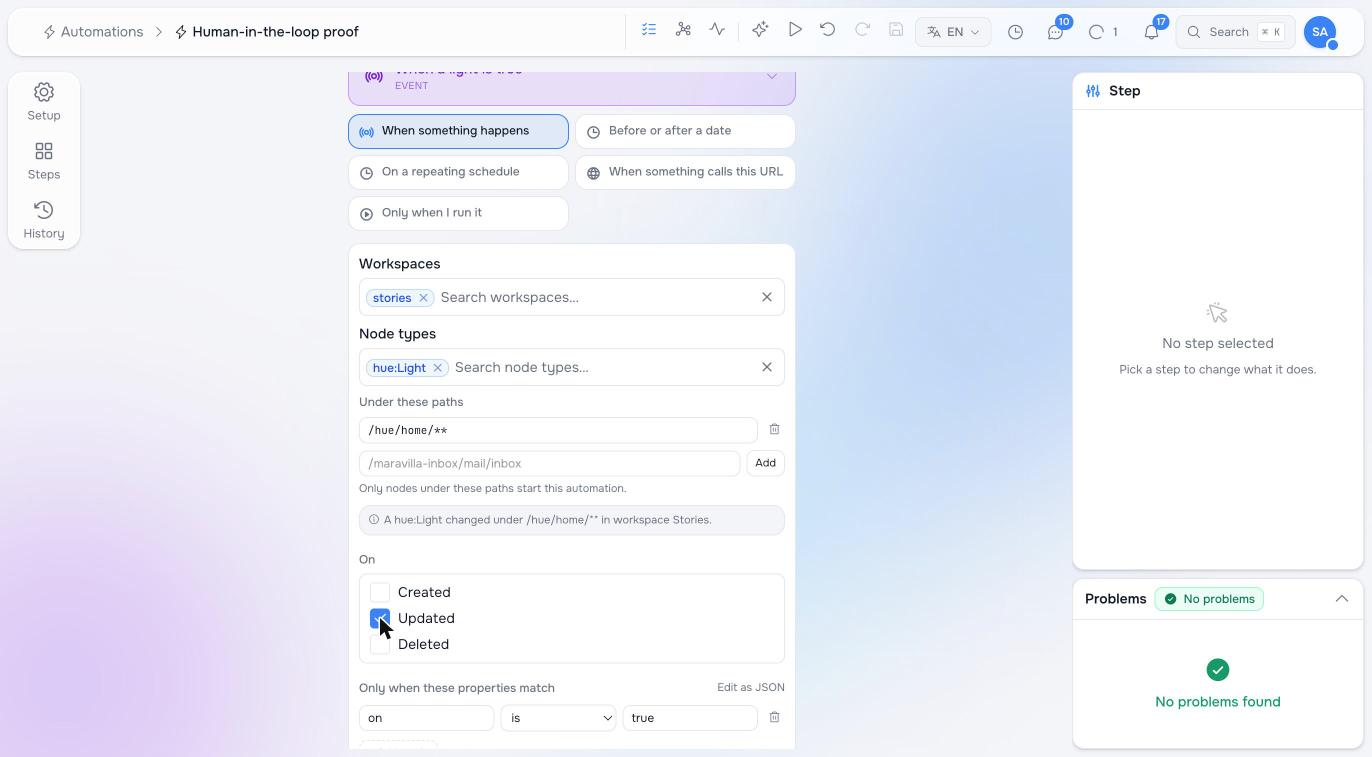
Two things to know. The engine suppresses the echo of your own write back to the bridge, but not the echo back to your trigger: a run that writes the same light re-fires. Filter on the property that must have changed, or act on a different node. And a flow cannot see who made the change; the bridge’s own sync writes as virtual-mount-sync, so a first step that reads the node’s updated_by tells a person’s change from the sync.
Recipes
- Doors open. A trigger on the event’s
doors_at, then Recall a scene “Arrival” on the foyer. - Show mode. A session starting: Set lights on the auditorium at 20 % and 2700 K; the break: back to 100 %.
- Lights left on. A schedule at 23:00, List lights with only lights that are on, and Set lights off on each room that still has any — or one Send a task naming them.
- A switch as a button. A trigger on a specific
hue:Lightturning on, and whatever you like as the steps: it is a physical button wired to an automation.
Handing the lights to an agent
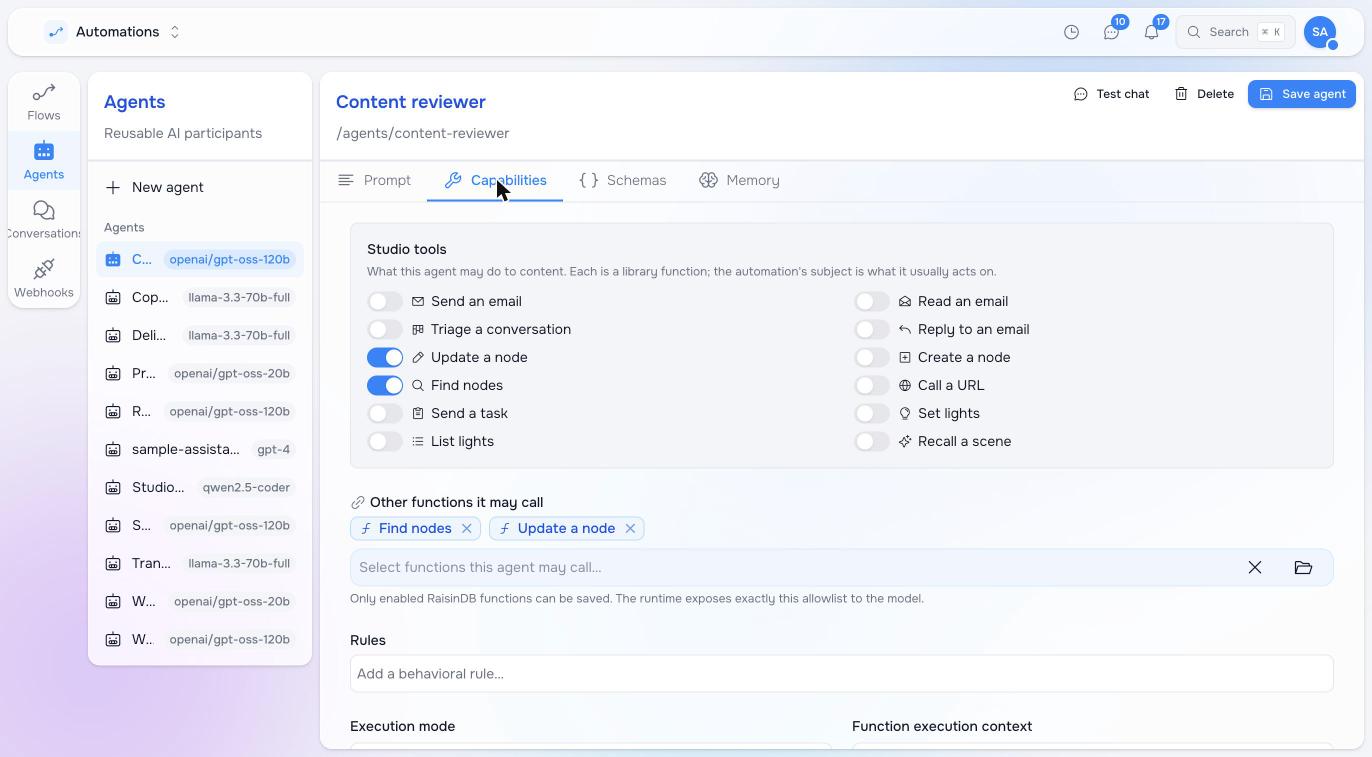
Every library step is also a tool an agent may use, switched on per agent under Automations → Agents → Capabilities → Studio tools. Give an agent List lights and Set lights and a person can write “make the meeting room warmer and a bit dimmer” into a conversation; the agent reads the inventory, resolves the room, and writes one grouped change. Keep Recall a scene off for agents that talk to the public, and put a people-in-the-loop gate in front of anything that runs at night.
Traps
- The mount workspace must admit the
hue:*types, or the first walk reportsokand writes nothing, permanently. The bundle checks it; a hand-made mount does not. - Do not write
__-prefixed properties, and do not writenameon a room: only a light can be renamed, through its device. - A bridge that is offline may answer with empty lists; the connector refuses an all-empty walk so the mount never reconciles your lights away. Never enable
allow_empty_reconcileon a Hue mount. - Hue’s group commands are limited to about one per second; a loop over twenty lamps is what Set lights exists to avoid.
Pilot documentation. Studio is in a partner pilot. Screens and YAML shown here are current as of the version noted on each page; tell your Maravilla contact when something does not match what you see.