Websites on Studio
Studio is a headless content platform with a visual editor. The content of a website lives in RaisinDB as nodes; the site that visitors see is your own application — Astro, SvelteKit, React Router, anything that can render HTML — reading those nodes and rendering them with your components. Studio edits the content, previews your site inside its editor, lets authors edit inline on the real page, translates, personalises and publishes. It never renders your site for you.
That split is the whole design. Everything below is a consequence of it.
The model
| Thing | What it is | Where it lives |
|---|---|---|
| Story | A website (or an app’s marketing surface). Its subtree is the page tree; its settings hold the domain, the brand, the languages and the embed rules that let the editor open your site. | stories workspace, one node per site |
| Page | A node with an archetype (its page type: home, content page, article, product…). Its URL is its path relative to the story. | Children of the story, nested as deep as the site’s structure |
| Block | One entry in a page’s content section: a hero, a paragraph, a feature grid, a form. Each has an element type that names its fields. Blocks nest: a section holds blocks. | The content array (or body, per archetype) on the page node |
| Header, footer, policies | Reserved pages every story starts with. The header and footer are pages of blocks rendered as chrome; policies is a folder of authored rules. | <story>/header, <story>/footer, <story>/policies |
| Brand kit | Colours, type, scales, shadows as token blocks on a brand’s topic pages. A story references one brand; the renderer turns it into CSS variables. | branding workspace |
| Assets | Images and files, with alt text, focal point and the text the pipeline extracted. Referenced from blocks and pages. | assets workspace |
Three consequences to keep in mind from day one:
- A URL is a node path.
/aboutis<story>/about;/is<story>/home;/de/aboutis the same page in German. There is no routing table to maintain. - Content names a type; your code owns the component. A page’s archetype maps to a layout; a block’s element type maps to a component. Two registries in your renderer are the whole integration.
- References are references. A hero’s call-to-action points at a page; a figure points at an asset. The database can resolve them for you in the same read, and links follow renames.
Three shapes of site
Partners build three kinds of thing on this, and the model is the same for all of them.
A website. Pages of blocks, a brand, several languages, a form or two. All content is authored in Studio; the renderer is thin. This is where most projects start, and the step-by-step walkthrough builds exactly this — in SvelteKit, React Router or Astro, your choice.
A website with records. The same site, plus content that is data: products, locations, people, events, submissions. Records are nodes with their own types in their own workspaces, edited in Studio’s apps rather than on a page, and rendered by the same registries — a product page’s archetype maps to a product layout, a catalogue page lists children. A form on the site writes a record; an automation follows up.
An application with a marketing surface. A product on the Maravilla platform — its own database, authentication, workflows — whose public pages, navigation, legal texts and variations come from Studio. The two meet at request time: the app knows who is signed in, Studio decides which page variation and which blocks that visitor gets, and a block placed by an author (a sign-in panel, a “recent work” list) gets its copy from Studio and its rows from the app. Studio’s own standard blocks carry most of it; the app adds a handful of its own. The personalisation and rendering pages show the seams.
The workflow
- Model what is not already there. Most sites need no new types: the
standard:*blocks, the standard page archetypes and the brand kit cover a marketing site. Add an element type when a design needs a block that does not exist, an archetype when a page type needs different fields. See Modelling a site. - Ship it as a package. Types, seed content and a
.raisin-sync.yamlin a RaisinDB package;raisindb deployfor schema,raisindb syncfor content you keep editing. The package is what installs on every tenant alike. - Render it. One catch-all route, two registries, one read per page. Add the
data-studio-*annotations and the editor can edit your real page inline. See Rendering and the step-by-step walkthrough. - Connect the editor. An embed rule on the story tells Studio where your site runs — locally and on its domain — so a page opens inside the editor. See Inline editing.
- Translate, personalise, publish. Languages on the story and two flags on the fields; variants by rule; a publish branch the site reads. Each has its own page.
Where the code lives
@raisindb/client— the SDK your server uses to read (and, for forms, write).@maravilla/studio-content— zero-dependency helpers every renderer shares: reference resolution, rich text, variants, page variations, drafts, branches, the preview session.@maravilla/studio-svelte,@maravilla/studio-react,@maravilla/studio-astro,@maravilla/studio-vue— one small adapter per framework for the inline editor. Bridge and editing only; no renderer, no data layer.examples/site-svelte,site-shadcn,site-react,site-astro,site-vuein the Studio repository — complete reference renderers, all reading the same content.
Which framework
Any server-rendering framework works; the contract is HTML with annotations and a server that can read RaisinDB. Three are first-class, with an adapter, a complete example and a column in every code sample of this section:
| Where it stands | |
|---|---|
| SvelteKit | The most exercised. Studio itself is Svelte, the SvelteKit example is the fullest (forms, catalogue, article lists), and the customer sites in production run on it. |
| React Router | Equally production-proven — a multilingual corporate site publishing to the live branch runs on it. If you are a React team, this is the path. |
| Astro | Fully supported and the newest of the three: the adapter shipped in September 2026 and the example covers the whole contract, including inline editing, translations, personalisation and drops. Server output is required; a static build cannot preview drafts. |
Vue has an adapter and an example, without a walkthrough. Next.js is not supported on the Maravilla platform: it has been coupled to one vendor’s infrastructure and runs elsewhere only through internals that break between releases. Its new adapter API is being watched; until it proves itself, React teams use React Router, which is a full peer here. Any other framework can be wired by hand — see the other frameworks.
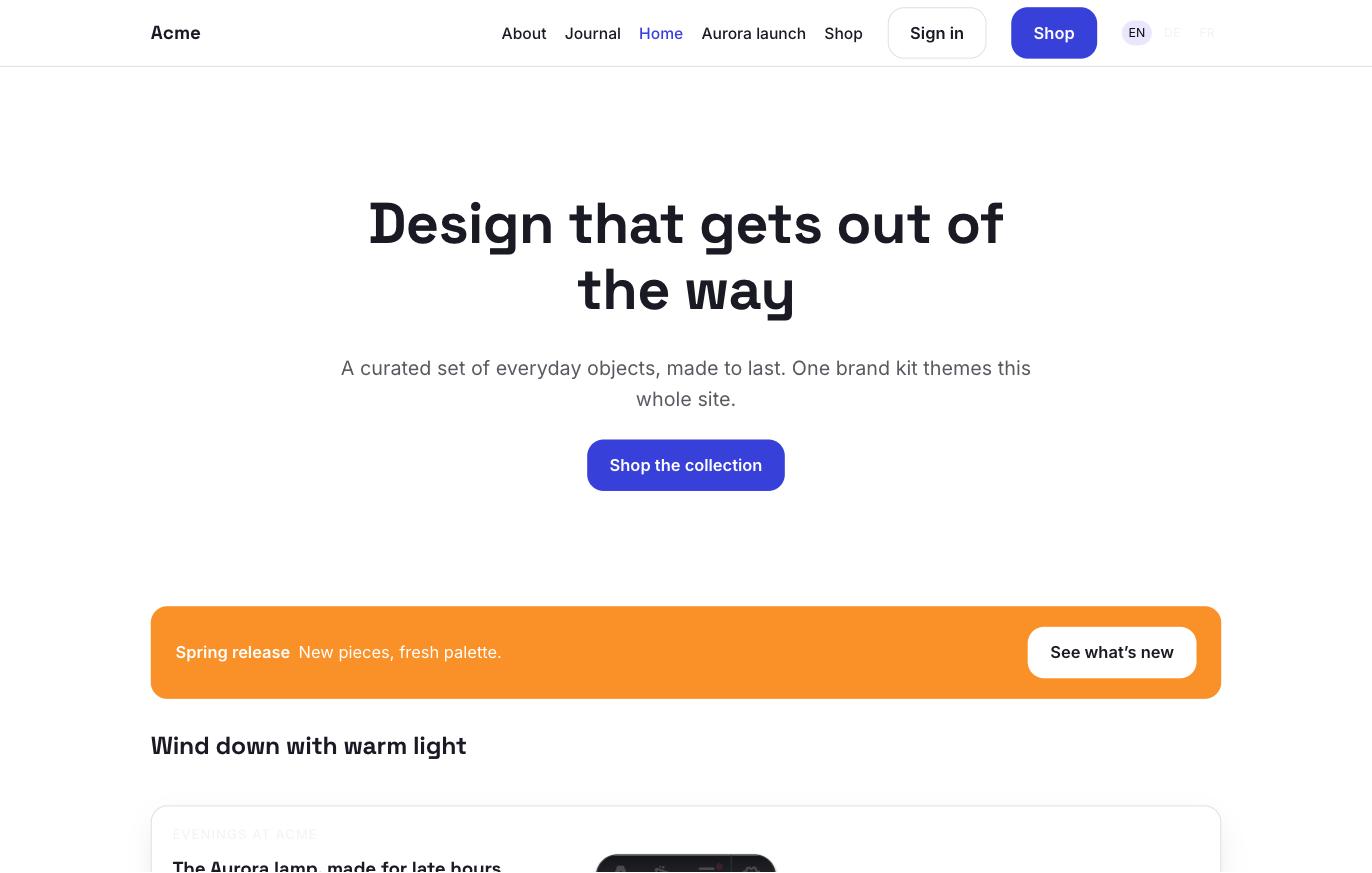
The rest of this section goes through each step with the Acme example site.
Pilot documentation. Studio is in a partner pilot. Screens and YAML shown here are current as of the version noted on each page; tell your Maravilla contact when something does not match what you see.