People in the loop
Two steps stop a run until a person acts. Both land in the person’s Inbox, both are surfaced by the notification bell, and both resume the run with what the person said.
Ask a person
A task in the assignee’s Inbox with the choices you define. The run waits.
| Field | |
|---|---|
| Who | A specific person, or a mode that resolves one (the subject’s owner, a role). |
| Ask them to | The task kind: action, review, input, approval. It decides the icon and the filters in the Inbox. |
| What to tell them | The task text, with Insert… for the subject’s fields and earlier answers. |
| Choices | Buttons; each has a label and a value. The value is what the run reads as steps.<id>.action. |
| Due in (hours) | A deadline. Pair it with an on timeout connection to say what happens when nobody answers. |
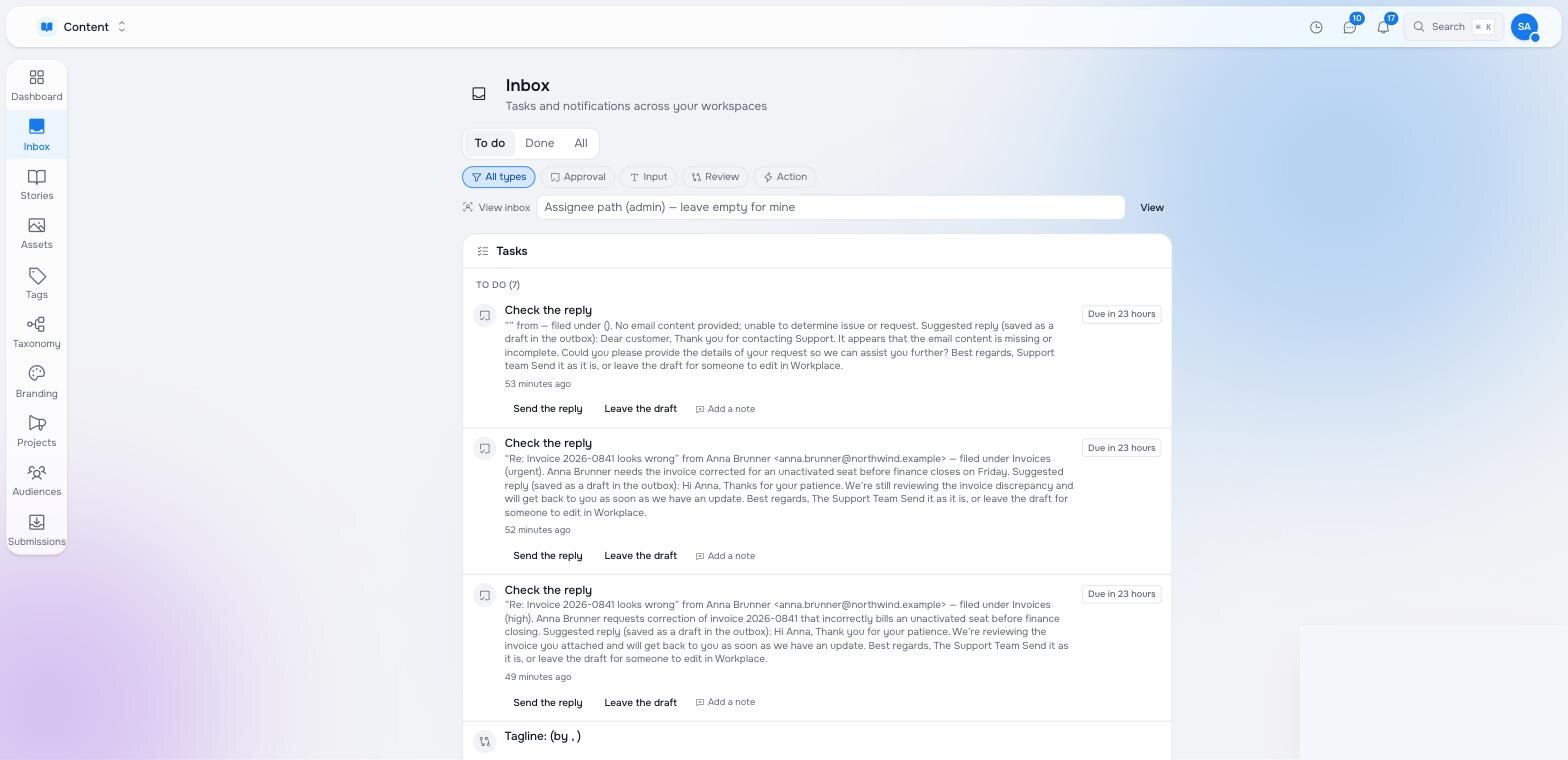
The choice routes the run: an if connection with steps.review.action == 'send' is followed only when that button was pressed. Anything else follows the plain next connection, if there is one, or ends the run.
There is also a task that does not wait: the library step Send a task puts a task in someone’s Inbox and the run carries on. Use it to tell someone what happened; use Ask a person to let them decide what happens.
Talk it through
A conversation between an agent and a person, started by the run. The agent gets a system prompt saying what it needs to find out; the person gets the conversation in their Inbox and answers in the chat; when the agent has what it needs it ends the conversation with a structured result — the fields you defined under What it must return — which later steps read as steps.<id>.result.<field>.
In the content review example the agent could not tell what a page was for, so it talks to the editor, agrees on a title and a description, and the next step writes them to the page.
A conversation shows in the Inbox with the agent’s name, marks itself Done when it ends, and disables its composer — a finished conversation cannot be accidentally continued.
The Inbox
One place for everything that needs you: tasks, approvals, conversations, across every workspace. Filter by kind (approval, input, review, action), see what is due, act with the buttons, add a note. An administrator can look at another person’s inbox to reassign or unblock.
Notifications
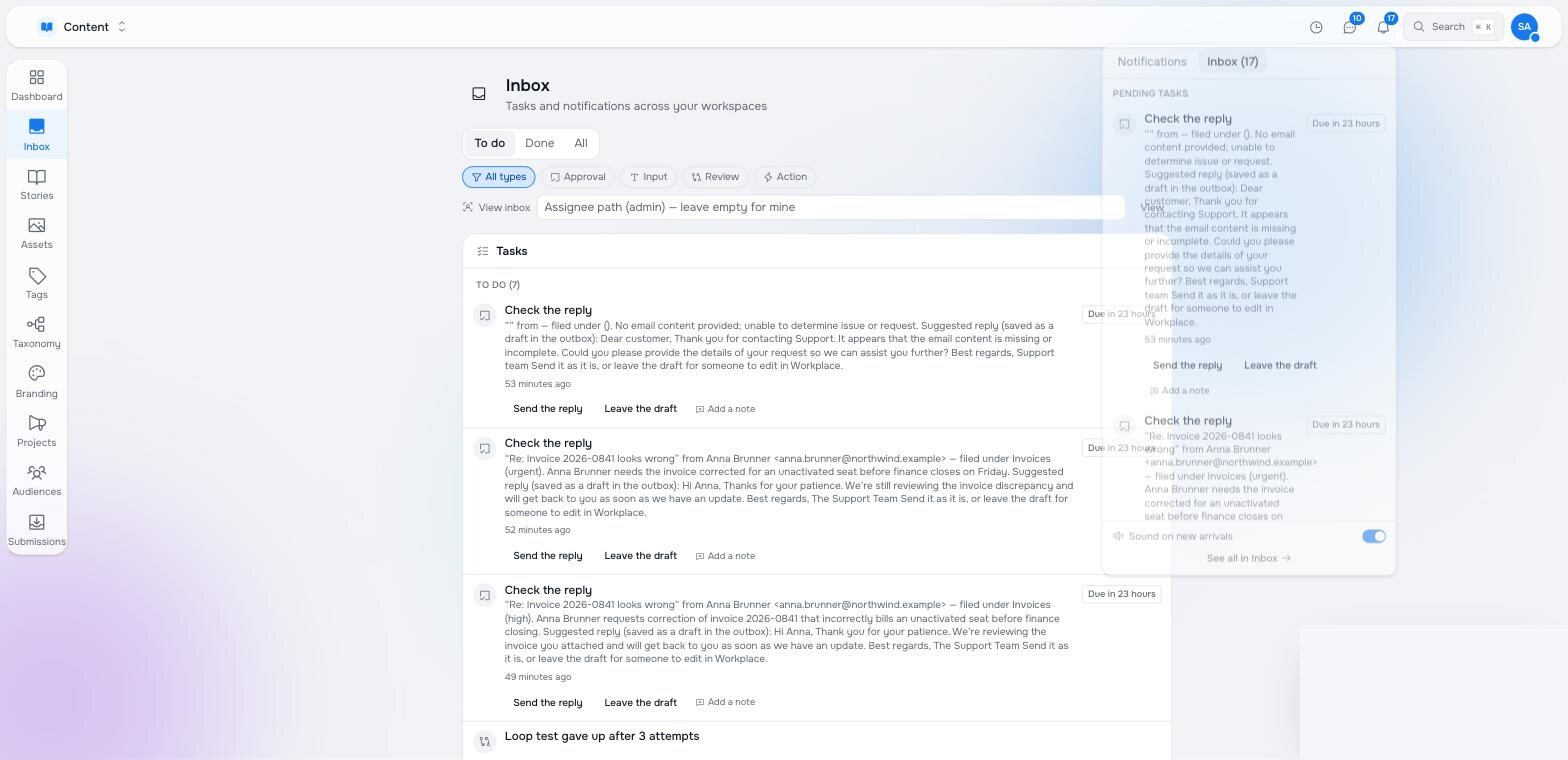
The bell in the app bar collects what arrived while you were elsewhere: new tasks, conversations, publishes, orders. It has two tabs — notifications, and your pending Inbox items with their actions — so an approval can be given without leaving the page you are on. A sound on new arrivals is optional.
Designing the human step
- Say what happened, then what you want. The person reads the task cold. Insert the subject’s title and path, the agent’s summary, and the thing they are deciding about.
- Make the choices the branches. Two or three buttons with clear values; the connections out of the step match them one to one.
- Set a deadline and a timeout path. An approval nobody answers should escalate or expire, not wait forever.
- Draft, then ask, then send. For anything that leaves the building, let the agent draft, let a person approve, and only then send — the support desk example is that shape.
Pilot documentation. Studio is in a partner pilot. Screens and YAML shown here are current as of the version noted on each page; tell your Maravilla contact when something does not match what you see.